About Snagit
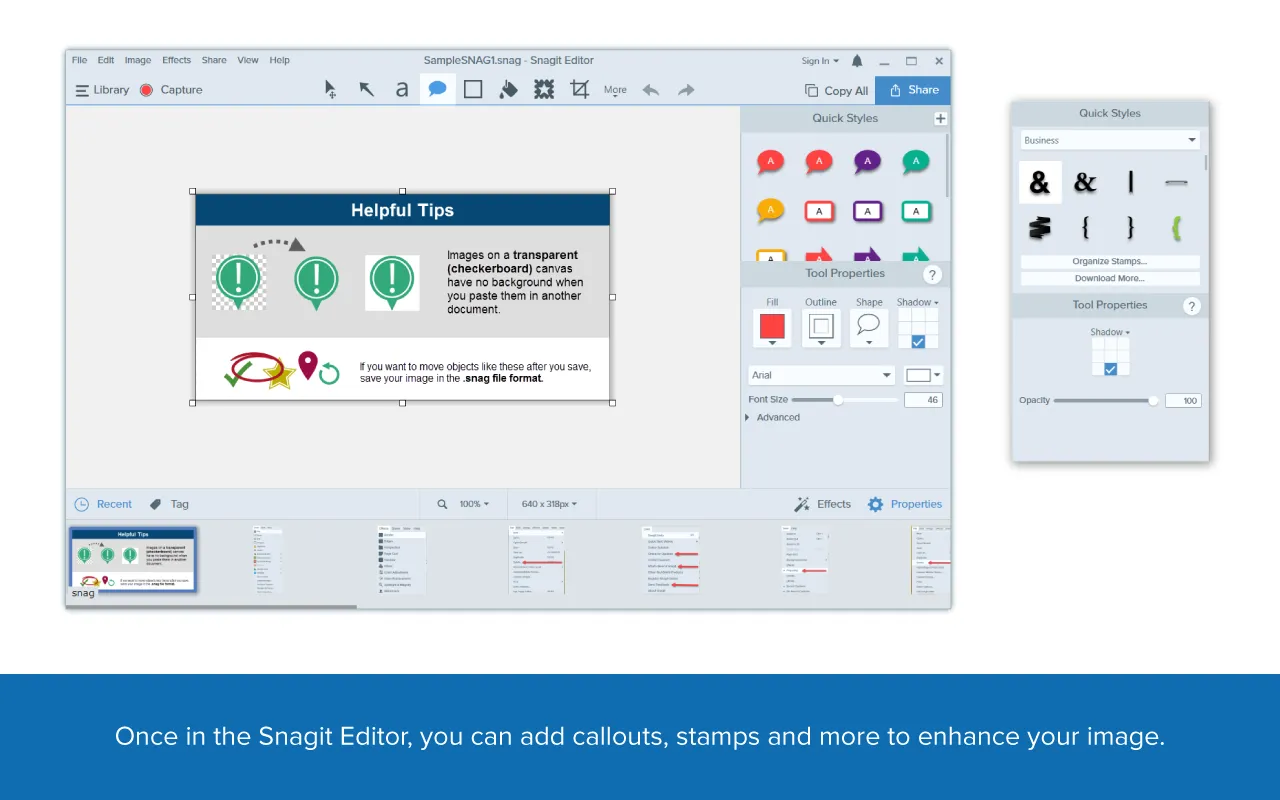
Snagit by TechSmith captures anything on your screen as an image or short video, then lets you edit it immediately — crop, annotate, add arrows, callouts and steps — before sharing.

Image and video capture, including scrolling pages

Annotations, arrows, callouts and step numbering
Why Choose Snagit
Recordings open in Snagit Editor where they can be trimmed, merged and saved as MP4; finished captures share directly to the apps your team already uses.
Quick webcam + screen recordings saved as MP4
Templates for how-to guides and documentation
One-click sharing to Google Drive, Slack and more
Frequently Asked Questions
Find answers to common questions about licensing, setup, and support for Snagit.
How do we obtain licensing for Snagit?
Does Bringvision offer training and setup support?
Is Snagit compatible with our existing LMS?
How do we get pricing for Snagit?
Also Explore
Discover more eLearning and content creation platforms represented by Bringvision.