

Create professional 3D animations with Plotagon.
With Platagon, you can create 3D animations to simulate real-life situations to train your workforce.
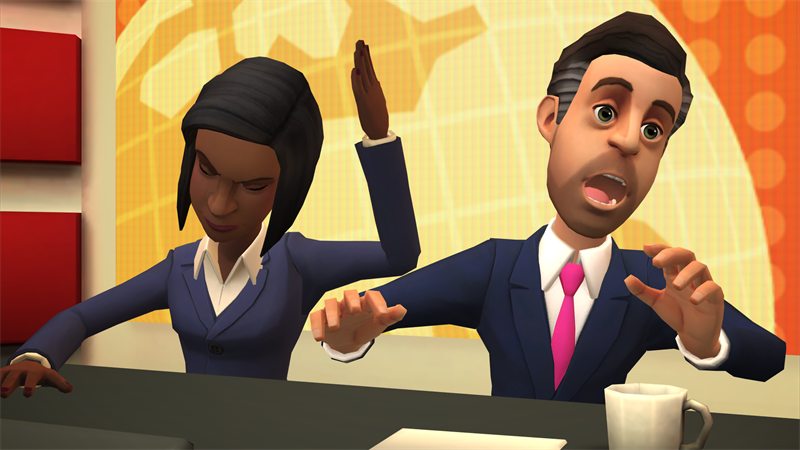
Create your own 3D animation, tell your story with Plotagon
Plotagon is a famous, practical and easy-to-use 3D animation video content creation system.
An Award-winning Storytelling Tool
Plotagon offers over 200 customisable character models and a variety of scenes to help you easily create outstanding 3D videos. You can also record your voice and add sound effects and music.
Set up a scene your learners will encounter in real life, and tell a story to walk them through it. Storytelling is one of the best ways to retain knowledge, and Plotagon is a leading tool for creating compelling visual storytelling.
Plotagon’s simple, intuitive interface lets you easily start creating training videos.
An award-winning storytelling tool
Make your videos stand out with 3D animation, customizable characters and 200+ original scenes. Record your own voice, add sound effects and music.
Plotagon turn ordinary text into video and communicate in a way that resonates. Create your own videos with plotagon studio. Turn ideas into animated videos. No experience required
Let Your Creativity Flow
Plotagon leaves room for creativity by letting you explore customisations for your character and scene, and by allowing you to add a custom voiceover, music, and an intro and outro to your videos.
You can run Plotagon on Android and iOS devices as well as on Microsoft Windows.
Install it on your device, subscribe, log in, and instantly start creating visual stories that will have a lasting impact on your learners.
Let Your Creativity Flow
With Plotagon, you can create cartoon-like animation videos and use them on any platform you want.
What Does Plotagon Offer?
Character creation with Plotagon is as easy as creating a character in a video game. Create your characters or choose from the ready-to-use actors with great details. Take advantage of a wide range of options from hair length to colour, skin colour to face shape, eyebrow shape, and eye colour. Pick various styles of clothes and accessories to give your character an identity, and you can even dress them in historical or fantastic clothes.
In Plotagon, there are more than 200 original scenes, such as historical, natural, hospital, space, school theatre, police station, and store environments, among others, and they are diversified and categorised.
What's Inside Plotagon?
Simple Story Creation Process
How to use Plotagon?
You can also choose your character’s mood while animating the dialogue. On the same screen, when you select one of the various emotional states by clicking on the ‘neutral’ text after selecting your character, your character’s facial expression will take on that emotion and perform the dialogue with that expression. Place your character wherever you want.
First, change the scene you selected by clicking the sequence change icon on the screen. It also allows you to create your own special place through Adobe programs by choosing the ‘Green Room’ sequence among the scenes. When you complete all these steps and finish your story, you can watch it one last time and export it.